Summary
This article will describe how to change the directory that the Windows commanderAgent writes temporary files to.
| These steps have been tested on Windows 7. Other versions of Windows may require different steps. |
Solution
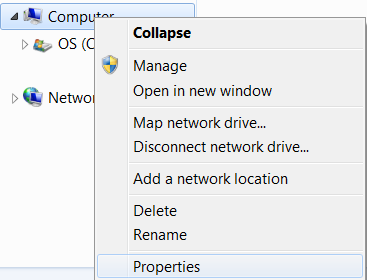
Go to My Computer -> Properties
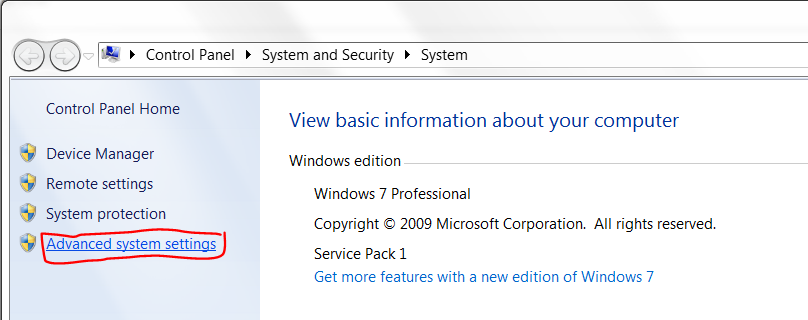
Click 'Advanced system settings'
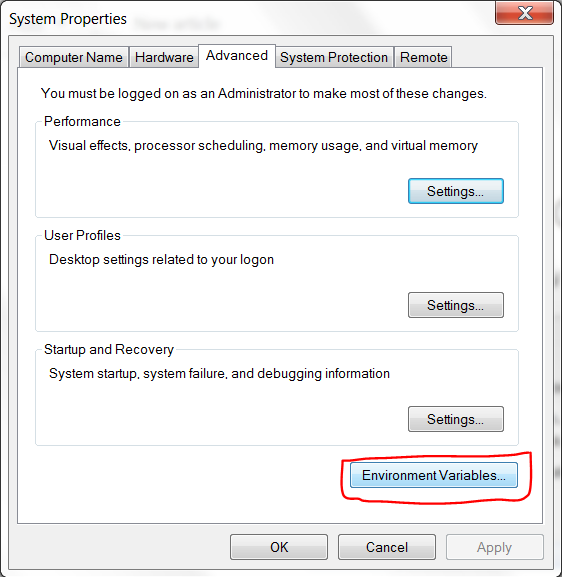
Go to Advanced -> Environment Variables
Select the 'TEMP' environment variable and click 'Edit…'
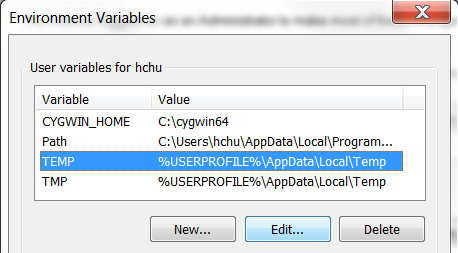
Edit the 'Variable value' field to the new directory path where you would like temporary files to be stored
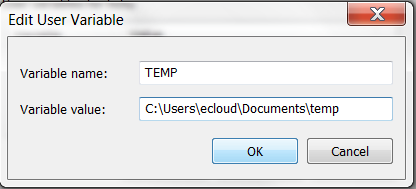
Click 'OK' to save
Restart your system for the changes to take effect.
| Other services using the TEMP environment variable will also have their directory changed. |