Capturing test reports and selecting tests to run in multiple environments (for example, browser tests, mobile tests, etc.)
|
This page relates to Record test results with CloudBees Smart Tests. |
Lots of teams run the same tests across several different environments. For example, a UI test suite might be run in several browsers in parallel. Or perhaps you need to build a slightly different version of a mobile app for different locales and need to run the same tests across all of them.
In these scenarios, a test result is not just a test result: it is the combination of the test and the environment that it was run in. A test might pass in one environment but fail in another.
CloudBees Smart Tests supports these scenarios with a concept called flavors .
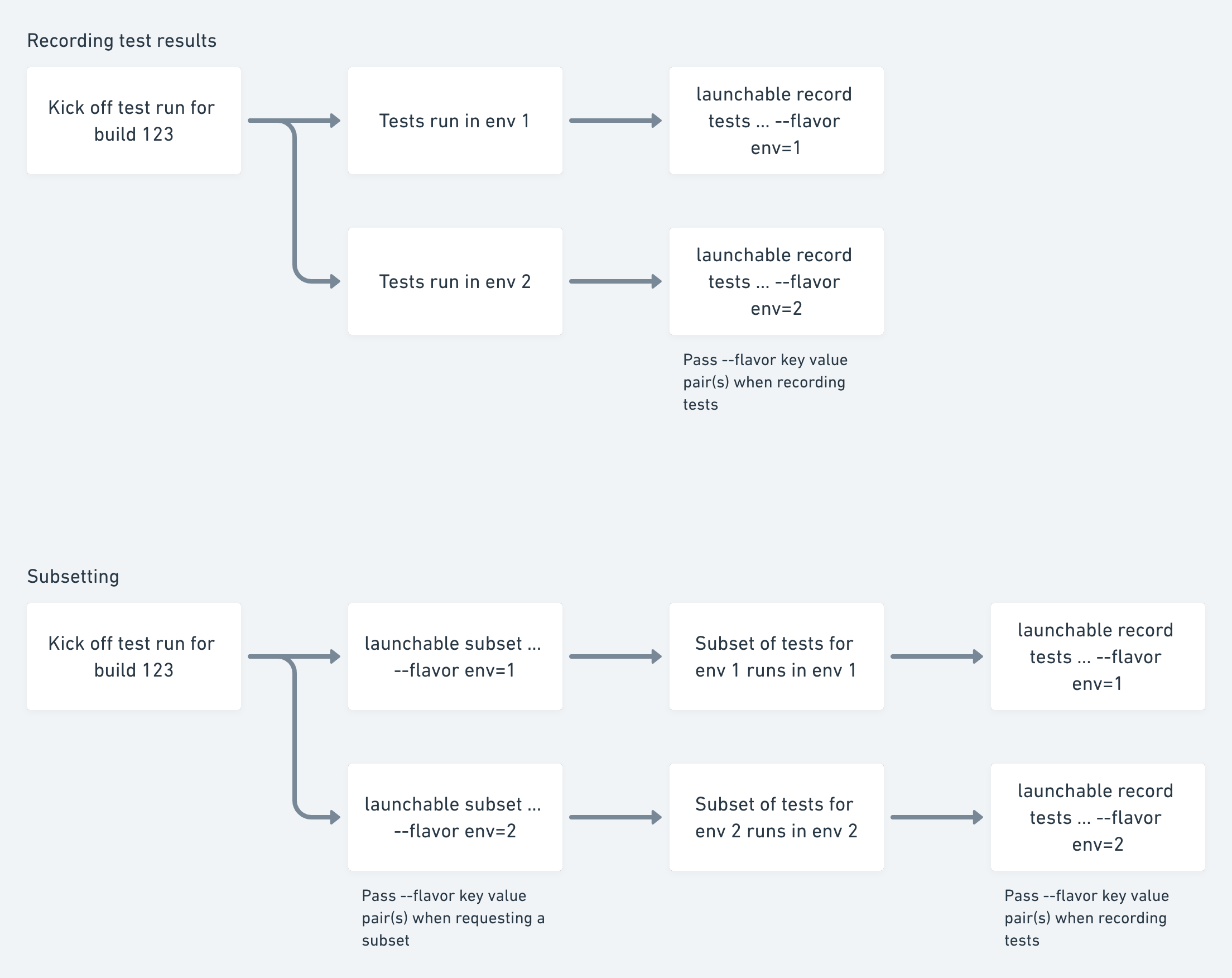
When submitting test results using smart-tests record tests, additional metadata in the form of key-value pairs using the --flavor option can also be submitted.
For example:
And so on. (You can submit multiple key-value pairs, too: --flavor key=value --flavor key2=value2 )
Later, when you want to request a subset of tests, include the same key-value pairs to get a subset of tests specifically selected for that flavor.
For example:
This feature lets you select the right tests to run based on the changes being tested and the environment they are being run in.
|
If your workflow involves creating a session externally using |
For example: