A job contains a sequence of tasks called steps that are used to execute commands or actions.
Steps execute in containers that share the same job workspace directory.
Because step commands run in their own containers, any changes to environment variables or other local filesystem directories are not saved as the workflow runs from step to step.
Steps can run the following:
-
A custom command.
-
A CloudBees action in your repository or a public repository.
Step outputs
Steps can produce outputs that subsequent steps in the same job can consume.
To consume an output from a step, you can use the outputs field in the corresponding step’s context as shown in the example below.
jobs.<job_id>.steps[*].continue-on-error
Use jobs.<job_id>.steps[*].continue-on-error to prevent a job from failing when a step fails.
Set to true to allow a job to pass when this step fails.
When set to true, the step will be marked as failed, but the job will continue to execute subsequent steps.
This is useful for steps that may fail but should not block the rest of the workflow, such as optional cleanup tasks or non-critical operations.
|
By default, a step failure causes the entire job to fail.
Use |
Usage example
In the following example, the "upstream job" step will fail (due to exit 1), but the job will continue executing any subsequent steps.
jobs: my-job: steps: - name: upstream job uses: docker://alpine shell: bash continue-on-error: true run: | exit 1 # or some other failure - name: This step will still run uses: docker://alpine run: echo "Previous step failed but we continue anyway"
Usage example: Optional cleanup
In the following example, a cleanup step is allowed to fail without affecting the job status.
jobs: build-and-cleanup: steps: - name: Build application uses: docker://maven:3.8 run: mvn clean package - name: Optional cleanup uses: docker://alpine continue-on-error: true run: | # Cleanup that might fail if resources don't exist rm -rf /tmp/build-cache
jobs.<job_id>.steps[*].env
Use jobs.<job_id>.steps[*].env to set environment variables for steps to use in the runner environment.
You can also set variables for the entire workflow or a job.
When environment variables have matching names, CloudBees Unify uses the most specific variable.
For example, env defined in a step overrides job and workflow environment variables with the same name, while the step executes. env set in a job definition overrides a workflow variable with a matching name, while the job executes.
Public actions may specify expected variables in the README file.
jobs.<job_id>.steps[*].if
Use jobs.<job_id>.steps[*].if to require a condition be met before a step is run.
You can use any supported context and expression to create a conditional.
When you use expressions in an if conditional, you may omit the ${{ }} expression syntax because CloudBees Unify automatically evaluates the if conditional as an expression.
However, this rule does not apply everywhere.
You must use the ${{ }} expression syntax or escape with '', "", or () when the expression starts with !, since ! is reserved notation in YAML format.
Using the ${{ }} expression syntax turns the contents into a string, and strings are truthy.
For example, if: true && ${{ false }} will evaluate to true.
Usage example: Contexts
A conditional at the job level cannot reference any step outputs. However, a conditional within a step can reference previous steps in the same job.
In the following example, the step only runs when the event type is a push and the branch is main.
steps: - name: My first step uses: docker://alpine:3.18 if: ${{ cloudbees.event_name == 'push' && cloudbees.scm.ref == 'refs/heads/main' }} run: echo This event is a push on the main branch.
In the following example, the first step is referenced in the second step.
Usage example: Status checks
Use an expression to check the status of a job step. The following expressions are supported:
success()
The default for any step is success(), which returns true if all previous job steps are successful.
failure()
failure() returns true if any previous job step fails.
If a job is dependent on another job, a failure in the ancestor job also means failure() returns true.
In the following example, My backup step only runs when the previous step (My first step) of the job fails.
steps: - name: My first step uses: cloudbees/checkout@v1 - name: My backup step if: ${{ failure() }} uses: cloudbees/kaniko@v1
Because success() is automatically applied to all non-status check conditions, you must override this in any extra conditions you add to a step to run after a failure.
|
always()
Use always() to always execute a step, regardless of the status of any previous step.
CloudBees recommends that you only use always for steps that are not critical to the workflow run, for example, sending a log file or test results.
|
In the following example, Test results always runs.
steps: - name: Test results uses: https://github.com/cloudbees-io/publish-test-results@v1 if: ${{always()}} with: test-type: playwright folder-name: ${{ cloudbees.workspace }}/results.json
Usage example: Using secrets
You cannot directly reference a secret in jobs.<job_id>.steps[*].if.
CloudBees recommends setting secrets as environment variables at the job level, then referencing these environment variables in the conditional, as in the following example:
If a secret is not set, the return value of an expression referencing the secret (such as ${{ secrets.my_secret }} is an empty string.
jobs.<job_id>.steps[*].name
Use jobs.<job_id>.steps[*].name to define a name for your step that is displayed in CloudBees Unify.
jobs.<job_id>.steps[*].run
Use jobs.<job_id>.steps[*].run to run command-line programs using the shell of the operating system.
run specifications:
-
By default, non-login shells are used to run commands. This affects the scripts run as the environment starts, including scripts that affect both path and environment variables.
-
The run command is executed into the container provided by the corresponding
uses:statement for this step. -
The step name defaults to text specified in the
runcommand if anameis not set.
You can choose a different shell and customize the shell used to run commands, and you can use a run step to run a script.
If a step contains multi-line commands, each line runs in the same shell.
jobs.<job_id>.steps[*].shell
Use jobs.<job_id>.steps[*].shell to override the default shell settings in the runner’s operating system.
You can use built-in shell keywords, or else define a custom set of shell options.
The shell command that is run internally executes a temporary file that contains the commands specified in the run keyword.
Supported platform |
|
Description |
Command run internally |
Linux |
unspecified |
Default shell on Linux platforms.
Note this runs a different command versus when |
|
All |
|
The default shell on non-Windows platforms. Falls back to |
|
All |
|
Runs the python command. |
|
Linux |
|
Fallback for Linux platforms if no shell is provided and |
|
| Overriding the default shell on MacOS or Windows is not currently supported. Only Linux platforms are currently supported. |
Usage example
In the following example, each step displays the path.
-
The first step runs using Bash.
-
The second step runs using the Python command.
steps: - name: Run using Bash uses: docker://bash:5 shell: bash run: echo $PATH - name: Run an inline Python script uses: docker://python:3 shell: python run: | import os print(os.environ['PATH'])
In the following example, both echo commands run in the same shell.
my-job: steps: - uses: docker://alpine:3.18 shell: bash run: | echo 'Hello' echo 'world'
Exit codes and error action preference
bash/sh is a default executed by CloudBees Unify-hosted runners and is provided for built-in shell keywords.
CloudBees recommends that you adhere to the following usage guidelines for the bash/sh default:
-
Fail-fast behavior is enforced using
set -efor bothshandbashby default. -
sh-like shells exit with the exit code of the last command executed in a script, which is also the default behavior for actions. The runner reports the status of the step as fail/succeed based on this exit code.
jobs.<job_id>.steps[*].uses
|
A single workflow job must contain only one of the following execution syntax terms: |
Specify an action with uses
Use jobs.<job_id>.steps[*].uses to add an action to run in your step.
For more information, refer to CloudBees actions.
|
When referring to a file within a repository, the repository clone URL and the repository-internal path must be separated by a double slash For example: https://github.com/myorg/myrepo//path/to/my/file.yaml However, for backward compatibility the double slash |
You can use an action defined in the same repository as the workflow, a public repository, or in a published Docker container image.
|
CloudBees strongly recommends that you specify the version with any action you use, to avoid any broken workflows or other unexpected behavior. The version may be in the form of a Git tag, branch name, or commit SHA. |
Some actions require inputs that you must set using the with keyword. This information is detailed in the action documentation.
Actions are Docker containers, (not Dockerfile actions), and you must run the job in a Linux environment.
Usage example
{owner}/{repo}@{ref}
In the following example:
-
The
First stepuses an action from a public repository with the commit SHA specified. -
The
Second stepuses a CloudBees Unify action with the major version tag specified. -
The
Third stepuses themainbranch of a subdirectory in a public GitHub repository.
steps: - name: First step uses: actions/checkout@8f4b7f84864484a7bf31766abe9204da3cbe65b3 - name: Second step uses: https://github.com/cloudbees-io/kaniko@v1 - name: Third step uses: actions/aws/ec2@main
If the action is in the same repository as the workflow, you must first check out your repository, as in the following example:
jobs: my-job: steps: - name: Check out repository uses: https://github.com/cloudbees-io/checkout@v1 - name: Use local action uses: ./.github/actions/my-action
Action contexts
CloudBees Unify allows you to invoke actions defined in a repository using their relative path (for example, uses: ./local-action), instead of fetching them from a dedicated repository (such as https://github.com/cloudbees-io/checkout).
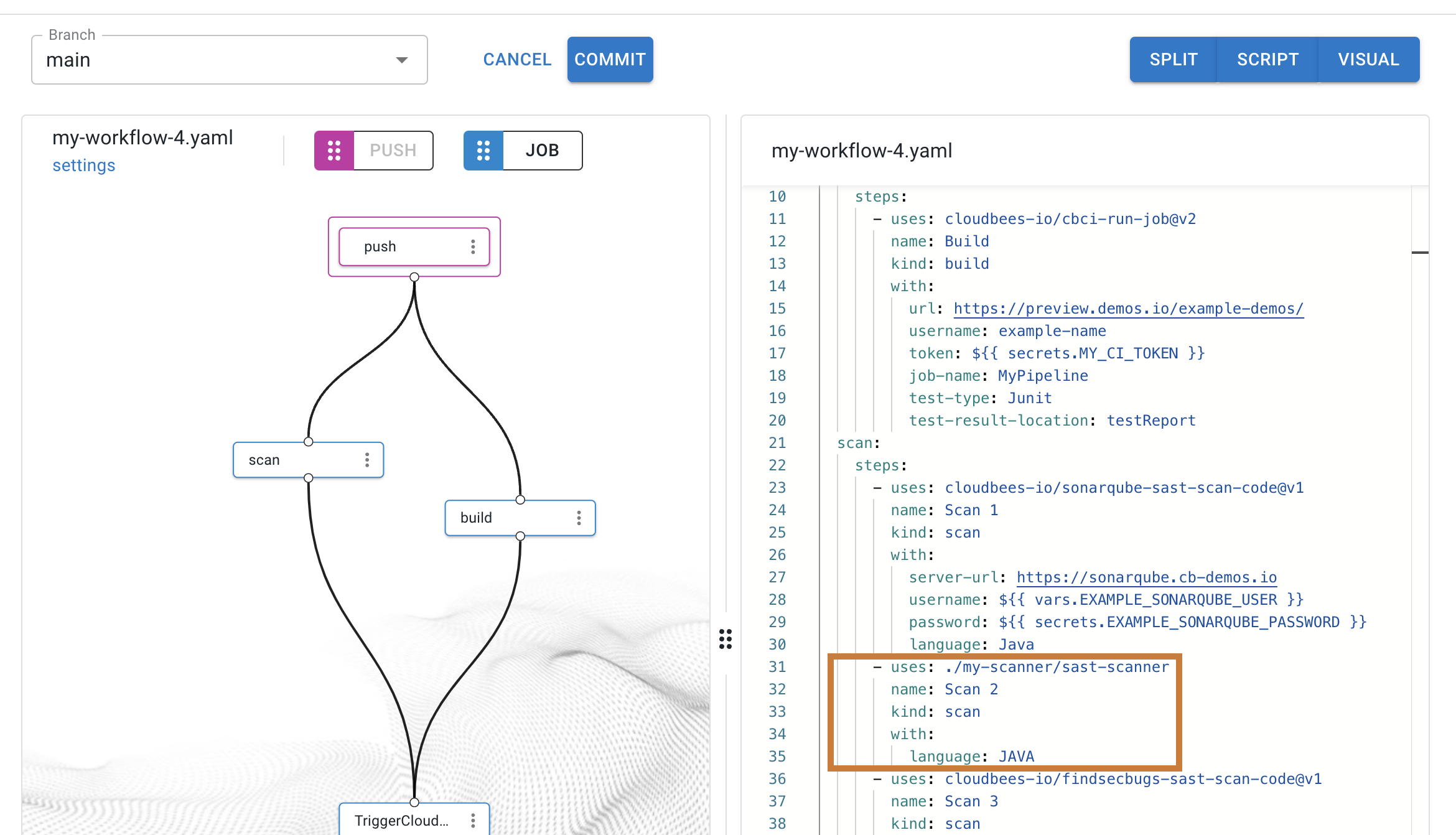
In your workflows, you can also use composite actions that invoke other actions, either from a dedicated GitHub repository or a local relative path.
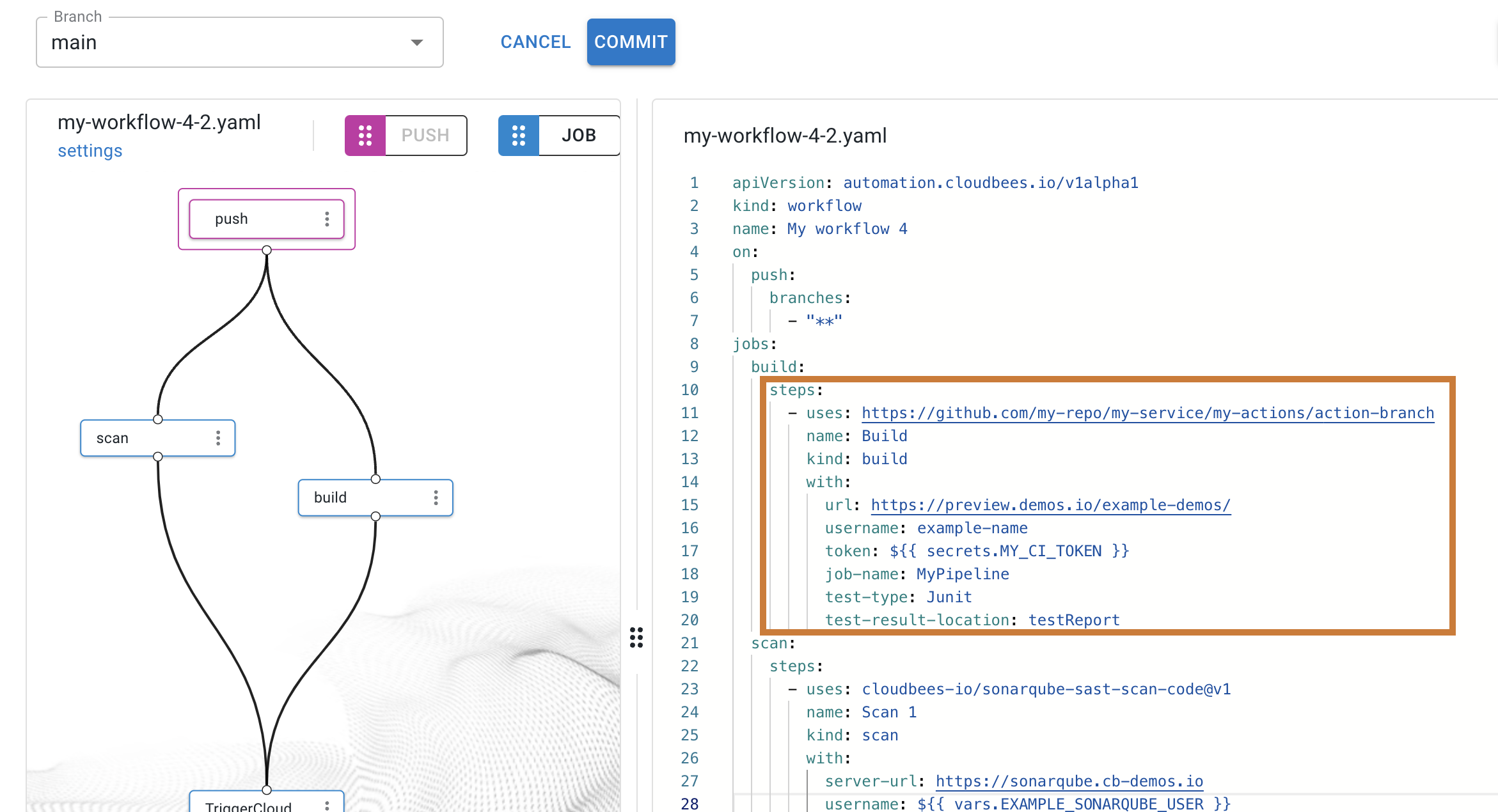
If a composite action refers to another action in the same repository by using a local action link (uses: ./local-action), then the workflow that uses this action fails, unless it also resides in the same repository.
All local references, whether from the workflow or any action it uses, are resolved to the repository where the workflow resides.
Specify a Docker image with uses
Use jobs.<job_id>.steps[*].uses to add a Docker image published on Docker Hub to your step.
docker://{image}:{tag}
In the case of a hosted image:
docker://{host}/{image}:{tag}
Usage example
In the following example:
-
The
First stepspecifies thealpine:3.8image. -
The
Second stepspecifies a public Docker image in the Google Container Registry atgcr.io.
jobs: my-job: steps: - name: First step uses: docker://alpine:3.8 - name: Second step uses: docker://gcr.io/cloud-builders/gradle
jobs.<job_id>.steps[*].with
Use jobs.<job_id>.steps[*].with to pass key/value pair inputs to an action.
The with keyword is also used in the context of a command step, when the uses value is a container image, rather than an action.
with specifications:
-
Each input parameter is a key/value pair.
-
Each variable is converted to upper case.
Non-alphanumeric characters are converted to _ (underscore).
|
When the uses value is a Docker image (docker://), you can use with to map input parameters that are set as environment variables, for example:
-
with.env -
with.entrypoint -
with.args
Usage example: actions
In the following example, the job step configures an action, https://github.com/cloudbees-io/jenkins-run-job@v2.
The with keyword passes in action inputs.
jobs: my-jenkins-job: steps: - name: My Jenkins job uses: https://github.com/cloudbees-io/jenkins-run-job@v2 with: username: ${{ secrets.JENKINS_USERNAME }} token: ${{ secrets.JENKINS_TOKEN }} url: ${{ vars.JENKINS_URL }} job-name: my_jenkins_job parameters: '{"ENV_NAME":"DEV"}'
jobs.<job_id>.steps[*].with.args
Use jobs.<job_id>.steps[*].with.args to define the inputs for a step that executes a Docker container.
args specifications:
-
Enter the
argsparameter as Unicode strings. -
An array of strings is not supported.
-
Any argument containing spaces must be surrounded by double quotes (
""). -
CloudBees passes all
argsto theENTRYPOINTof the Docker container when the container starts up.
The main purpose of CMD in a Dockerfile is to provide defaults for an executing container.
Instead, you can provide this instruction by defining args in your job.
If you do use CMD in your Dockerfile, you must use one of the following workflow guidelines:
-
(Recommended) delete any required arguments from
CMD. -
Define appropriate defaults so that you can run without specifying any arguments.
-
If a
--helpflag, or something similar is available, use that as the default for documentation.
jobs.<job_id>.steps[*].with.entrypoint
Use jobs.<job_id>.steps[*].with.entrypoint to set the container entrypoint which will override the ENTRYPOINT specified within the container image.
|
CloudBees Unify has the following key differences from GitHub Actions (GHA):
|
Unlike Docker ENTRYPOINT, CloudBees Unify entrypoint instruction accepts only a single string defining the executable to be run.
In the following example, shell is not specified, and entrypoint is defined.
steps: - name: Run a command uses: docker://alpine:3.18 with: entrypoint: /bin/echo run: