Connect CloudBees Unify to your CloudBees CI and Jenkins® instances, so CloudBees Unify can then interact with the CI system to collect build execution details or to trigger jobs in the remote system.
After you create this integration, data is available in the CI insights for Jenkins dashboard.
To create a CI insights integration:
-
Navigate to .
-
Select Create integration. The list of available integration types is displayed.
-
Select .
-
Select .
-
Select one of the options. For example, CloudBees CI controller or CloudBees Jenkins controller
CloudBees CI Operations center, CloudBees CI controller, and Jenkins® controller appear in multiple categories. Be sure to select the CI insights category for this integration.
To view more information about the different integration types available in CloudBees Unify, and how to access them, select View more below.
View more
You can locate an integration type three different ways.
-
Scroll through the list of integration types to find the one you want to create. This is useful if you are not sure of the name of the integration type you want to create, but you know the category it belongs to. The list is organized in alphabetical order, grouped by type.
-
Use the search bar to search for an integration if you know it by name. The search results are organized by name in alphabetical order.
-
Use the options to filter the list of integrations by category. This is useful if you are not sure of the exact name of the integration you want to create, but you know the category it belongs to.
If the integration type is not listed, hover over the Category menu to redisplay the integration category list again, and select another category.
You can also create a CI insights integration at:
-
Select .
-
Select Create integration, and then select one of the options.
-
-
Enter a Name and an (optional) Description.
-
Configure the integration.
-
For CloudBees CI controllers and the operations center, the CloudBees Platform Insights plugin requires CloudBees CI 2.440.3.7 or later.
-
For Jenkins, CloudBees Platform Insights plugin requires Jenkins 2.414.3 or later.
-
For CloudBees CI controller and operations center:
-
From the CloudBees CI controller dashboard, select in the upper-right corner to navigate to the Manage Jenkins page.
-
Select .
-
Search for CloudBees Unify Insights Plugin and then install it
-
Select Restart Jenkins when installation is complete, and no jobs are running.
-
-
For Jenkins:
-
In Jenkins, select in the upper-right corner to navigate to the Manage Jenkins page.
-
Select .
-
Search for CloudBees Installation Plugin and then install it.
-
Search for CloudBees Unify Insights Plugin and then install it.
-
Select Restart Jenkins when installation is complete, and no jobs are running.
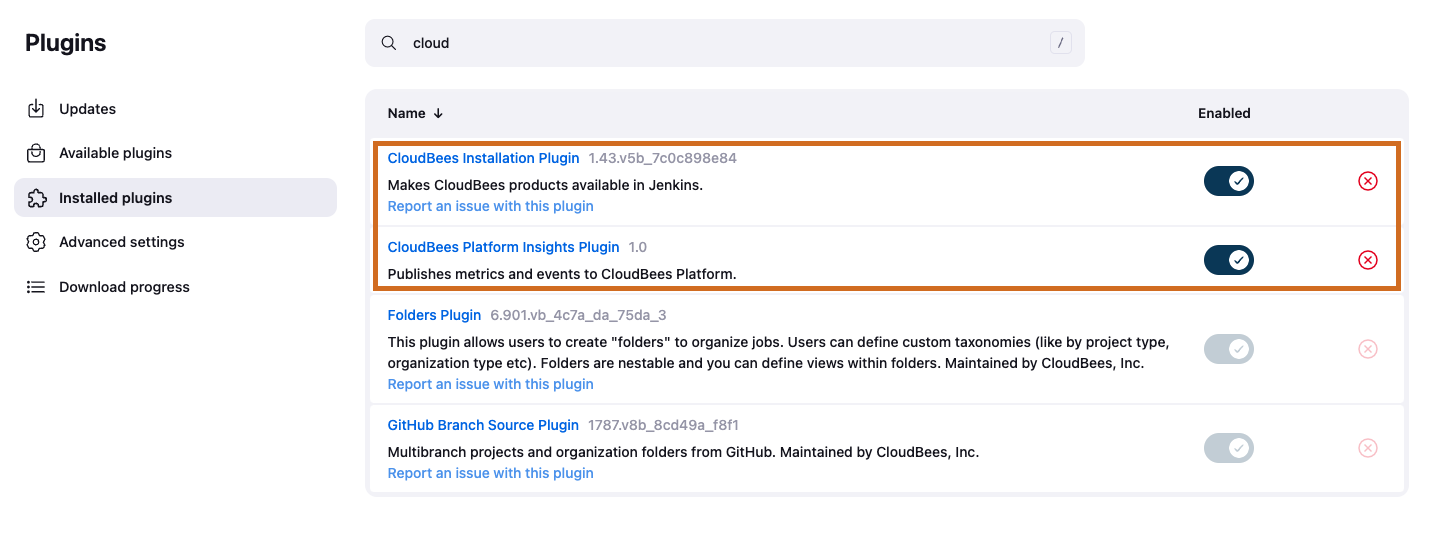 Figure 1. CloudBees integration plugins in Jenkins
-
-
-
Select in the upper-right corner to navigate to the Manage Jenkins page.
-
Select System, and then search for CloudBees Unify Insights.
-
Enter the authentication code from CloudBees Unify.
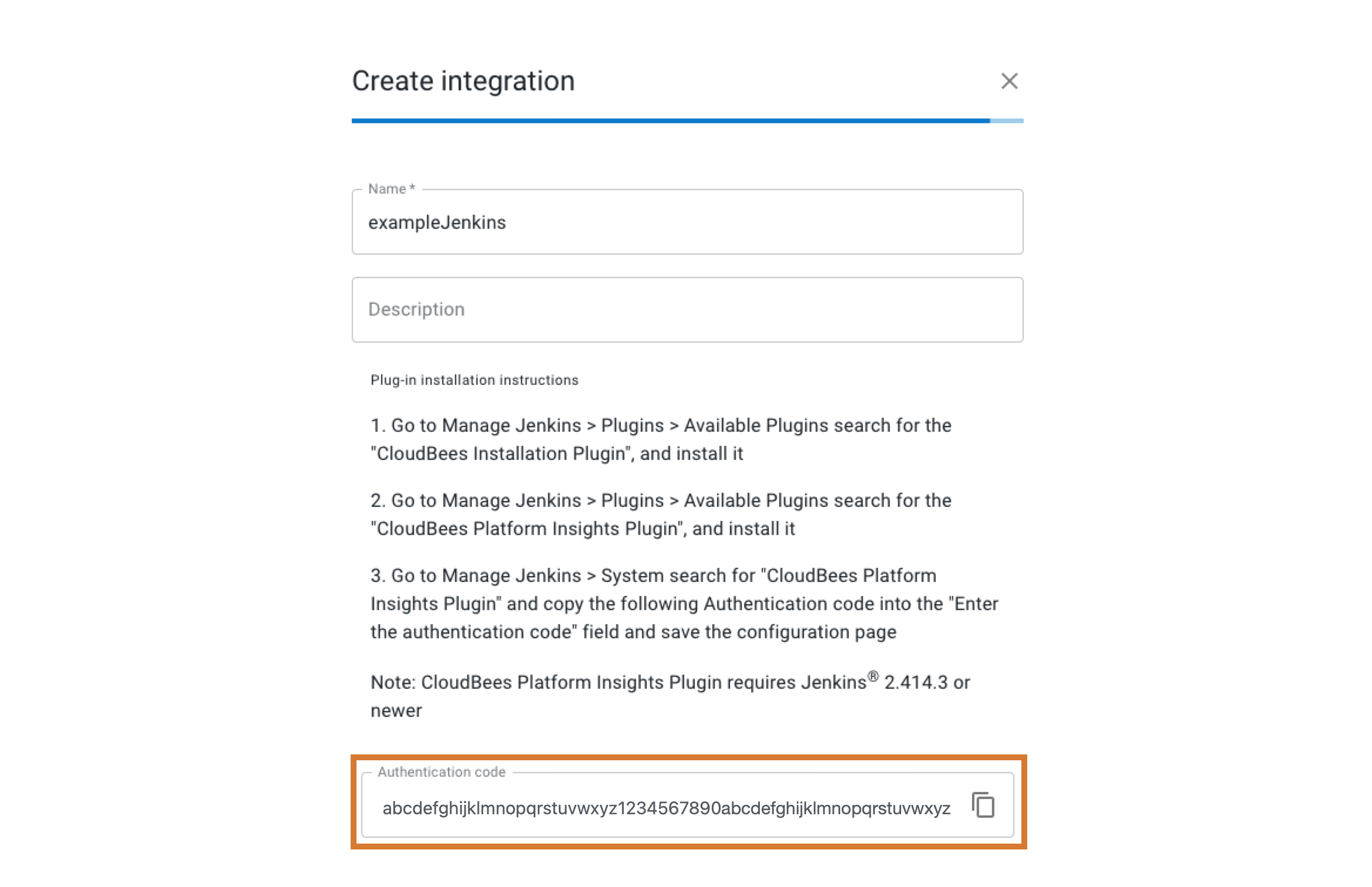 Figure 2. Platform authentication code for a Jenkins integration
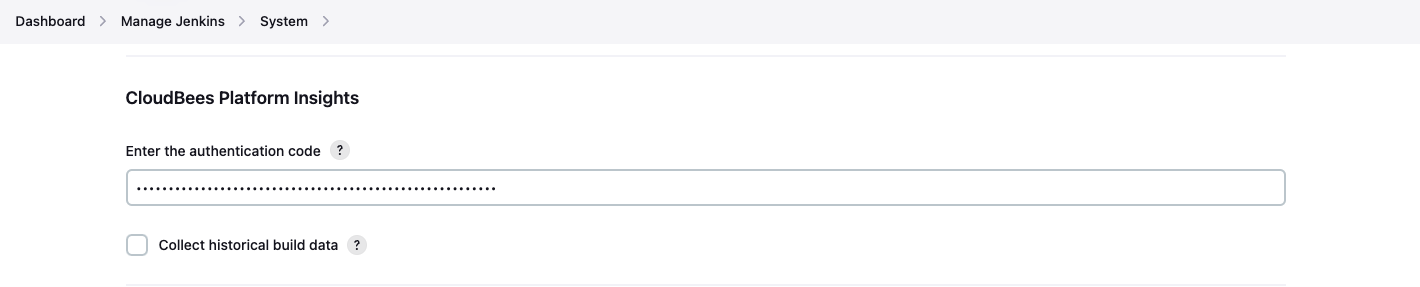 Figure 3. Pasted authentication code in Jenkins system configuration
 -
Save the Jenkins configuration.
-
Select Submit to save the integration in CloudBees Unify.
The CI insights integration is connected and listed in Integrations.