Learn how to access and use the AI Assistant. The CloudBees Unify AI Assistant helps you navigate and interact with CloudBees Unify using natural language.
Access the AI Assistant
Select AI Assistant in the top-right corner of any CloudBees Unify page to open the chat panel.
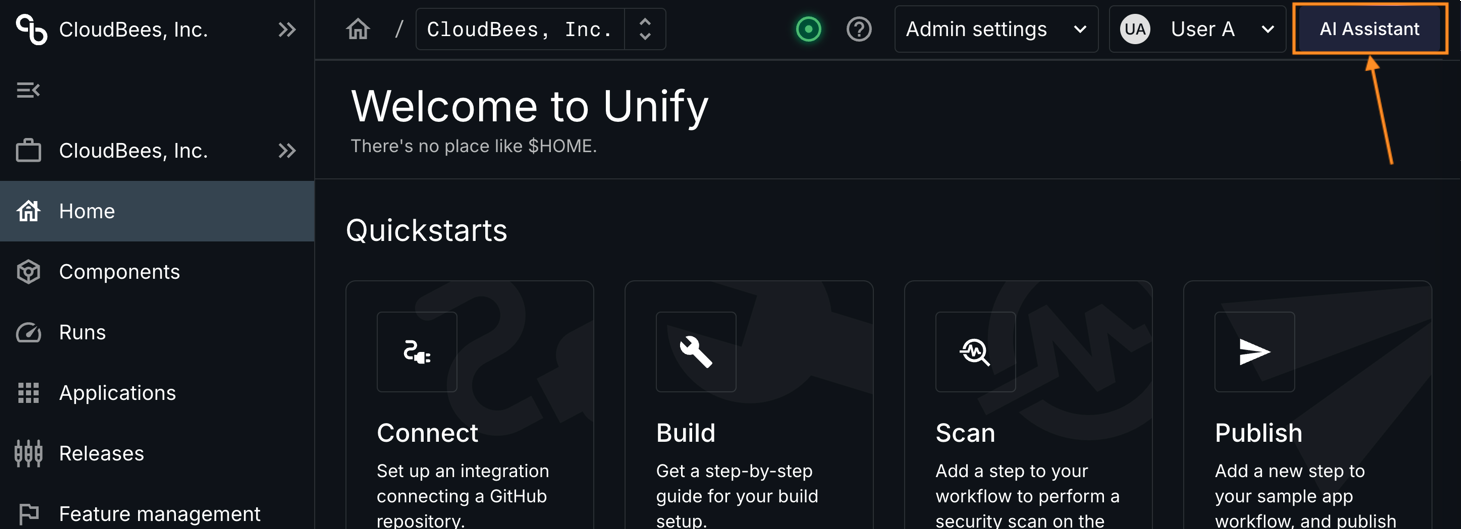
Figure 1. Access the AI Assistant
Try your first interaction
Enter Go to Runs in the chat panel and press Enter. The AI Assistant navigates you to the Runs page.
The AI Assistant shows its thought process before each action and suggests relevant follow-up actions you can select without typing.