The Jira integration connects CloudBees Unify to your Jira instance so that you can associate Jira tickets with feature flags and track development work alongside flag activity. When a ticket is linked to a flag, it appears under Related work items on the flag’s Jira tab, providing visibility to the Jira tickets associated with that feature.
|
The Jira integration is available only when viewing Feature Management within the context of a specific application. It is not available at the organization level. |
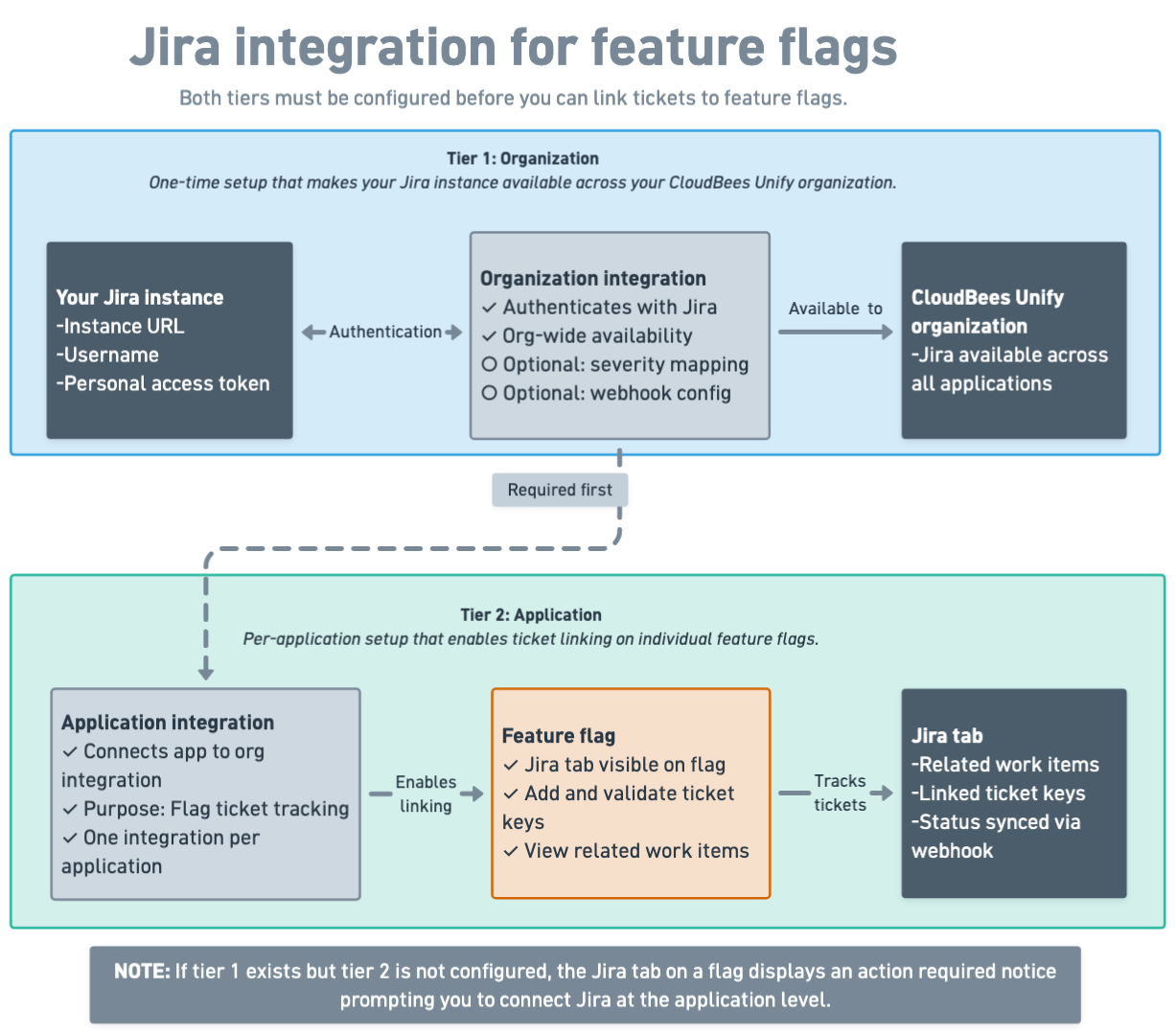
Two-tier configuration
The integration must be configured at the organization and application levels. Both must be in place before you can link tickets to flags.
Organization integration
The organization-level integration authenticates CloudBees Unify with your Jira instance using a URL, username, and personal access token. This is a one-time setup that makes your Jira instance available across your CloudBees Unify organization. It also includes optional severity mapping and webhook configuration for feature traceability and security issue tracking.
You can create the organization integration from a feature flag’s Jira tab or from Configurations > Integrations.
Application integration
The application-level integration connects a specific CloudBees Unify application to the organization-level Jira integration and configures it to Flag ticket tracking. This step enables the ticket-linking workflow on individual flags within that application.
If an organization-level Jira integration is configured but no application-level integration exists, the Jira tab on a flag displays an action required message, prompting you to connect Jira at the application level.
How ticket linking works
After both integrations are configured, you can:
-
Open the flag’s Jira tab and add a Jira ticket by entering its ticket key.
-
Validate the key to confirm the ticket exists in the connected Jira instance.
-
Link the validated ticket to the flag.
-
Remove a linked ticket at any time — removing the link does not affect the Jira ticket itself.
Linked tickets appear as links under Related work items, making it straightforward to navigate between CloudBees Unify and your Jira project.