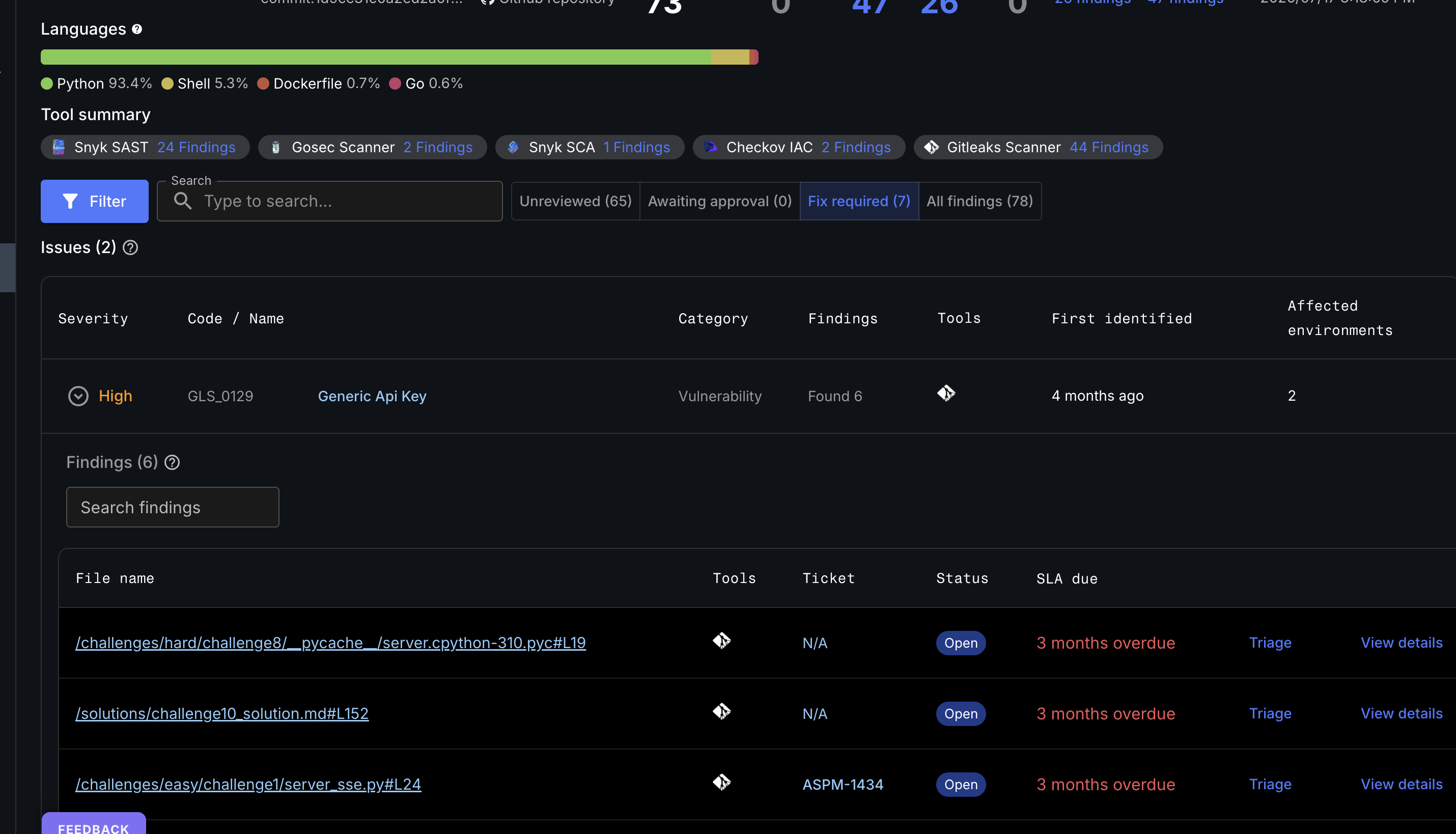
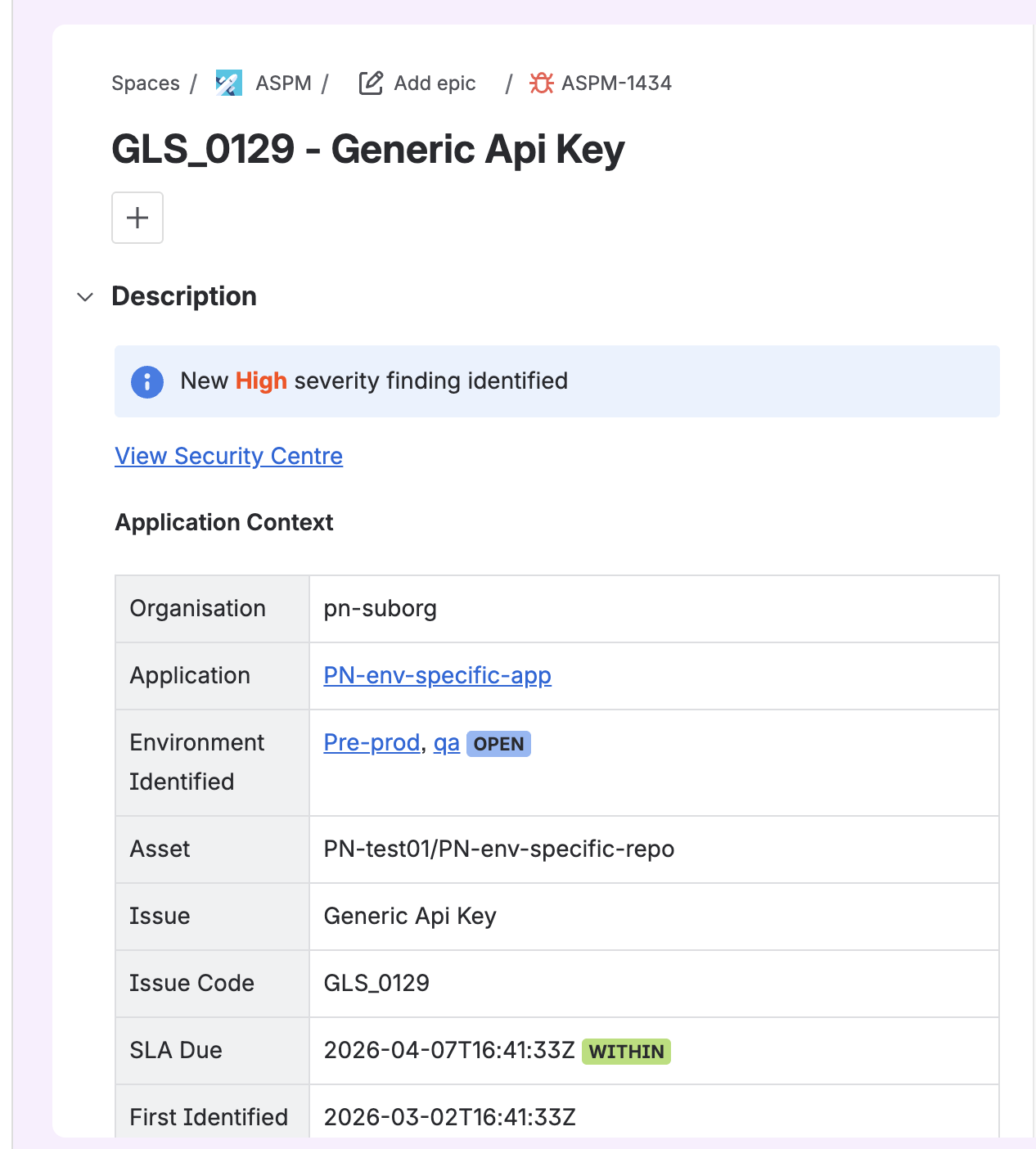
CloudBees Unify creates a Jira issue when a security finding is triaged to Fix Required. Each issue is created in the Jira project configured for the application, using the configured work type, and includes the following information from the security finding:
-
Finding name and vulnerability code (CVE or CWE).
-
Severity rating.
-
Affected asset name and type.
-
Security tool that identified the finding.
-
Link back to the finding in the CloudBees Unify Security Center.
For more information about Jira ticketing for applications, refer to Configure Jira ticketing for an application
When a Jira issue is created for a security finding, its priority is automatically set to match the severity of the finding in the CloudBees Unify Security Center.
The Jira issue includes a link to the corresponding finding in the CloudBees Unify Security Center. Selecting the link opens the Security Center with the specific finding prefiltered and its details displayed.
Similarly, the CloudBees Unify Security Center displays the Jira issue reference as a link. Selecting the link opens the corresponding Jira issue in a new browser tab.
| Only one Jira issue is created per unique finding. If the same finding is detected in a subsequent scan, the existing Jira issue is updated rather than a new one being created. |
| Jira issue creation only applies when a Jira integration has been configured for the application. Findings triaged to Fix Required without a configured Jira integration are tracked in CloudBees Unify only. For the full triage procedure, refer to Triage security findings. |
Understand bidirectional status sync
Status changes in either CloudBees Unify or Jira are synchronized based on the configured status mappings.
This ensures that security teams working in CloudBees Unify and developers working in Jira always have an accurate view of remediation progress without manual updates in both tools.
CloudBees Unify to Jira: When a security finding status changes in CloudBees Unify, the corresponding Jira issue status updates to the mapped Jira status.
Jira to CloudBees Unify: When a Jira issue changes to a status mapped to a CloudBees Unify finding status, the corresponding finding status in CloudBees Unify is updated only if the Jira issue is in the In Progress state. Changes to Jira issues in any other status do not update the finding status in the CloudBees Unify Security Center. CloudBees Unify receives these updates via the webhook configured during the organization-level Jira integration setup.
| Status sync only applies to findings that have a corresponding Jira issue. Findings not yet triaged to Fix Required do not have a Jira issue and are not synced. |