| Actions made to a property sheet are applied to nested properties. |
Use the three-dots menu to manage server properties or property sheet settings.
| Setting | Description |
|---|---|
Edit |
Use this option to modify property or property sheet settings. For more information, refer to Properties. |
Create nested sheet |
Use this option to create a nested property sheet. |
Create property |
Use this option to create a new property. For more information, refer to Properties. |
Move to |
Use this option to move a property or property sheet to a different location. |
Copy to |
Use this option to make a copy of a property or property sheet in a different location. |
Access control |
Use this option to modify a property or property sheet permissions. For more information, refer to Access control. |
Delete |
Use this option to remove a property or a property sheet. |
Export server properties
In CloudBees CD/RO, exporting server properties for system objects (in Groovy or YAML format) is performed by using the export server properties procedure in the EC-Utilities project. When the procedure is run, the server property files are exported in the selected format to the target system directory and published as an artifact to the native artifact repository. Users can download the published artifact to their local machines.
To export server properties:
-
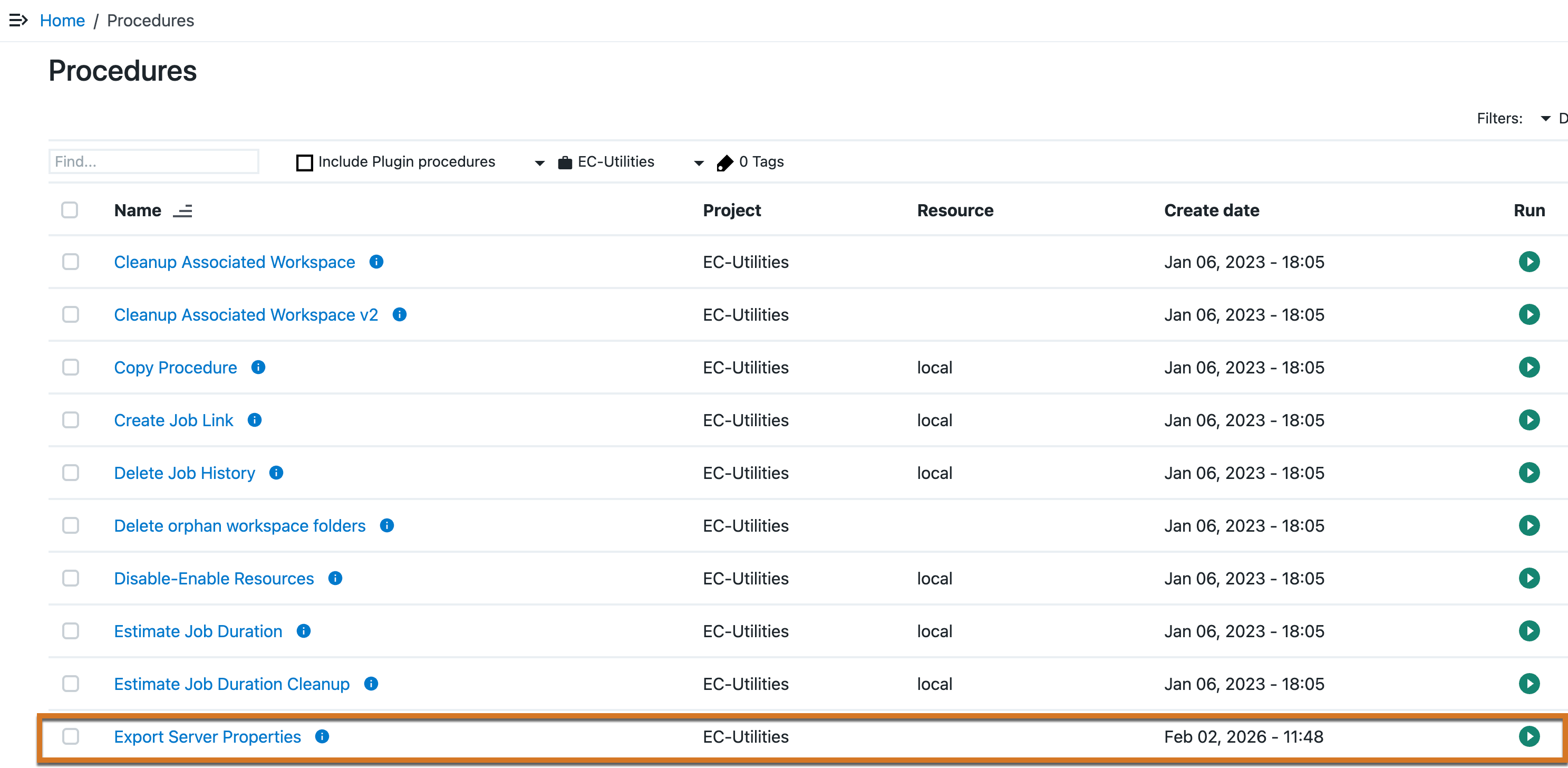
Navigate to , and then select EC-Utilities project.
-
Select the Export Server Properties procedure, and then select New Run.
-
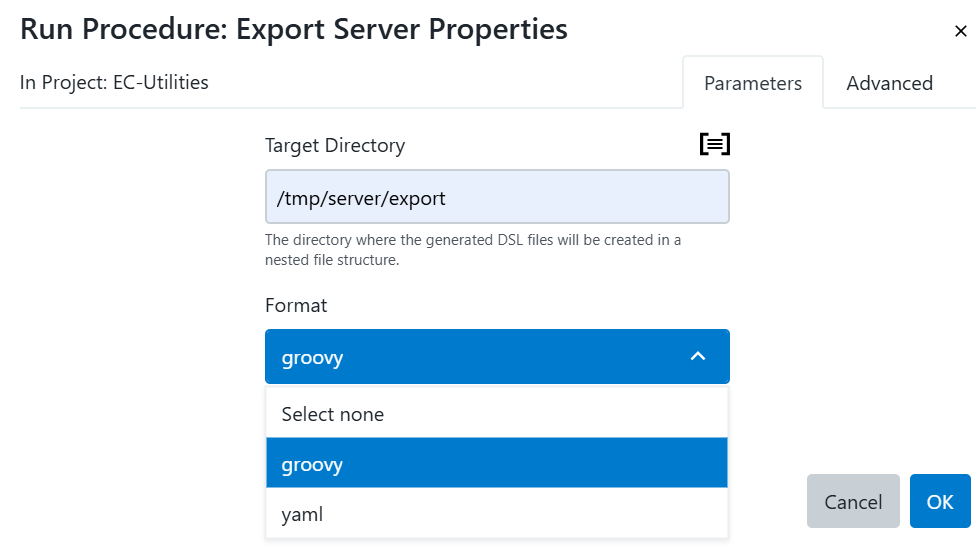
In the Run Procedure: Export Server Properties dialog, complete the following fields:
Field name Description Target directory
Specify the path to the artifact directory in the target system.
Format
Select the property file format as Groovy or YAML.
-
Select OK.
-
When the procedure runs, CloudBees CD/RO automatically redirects you to the job run instances page.
-
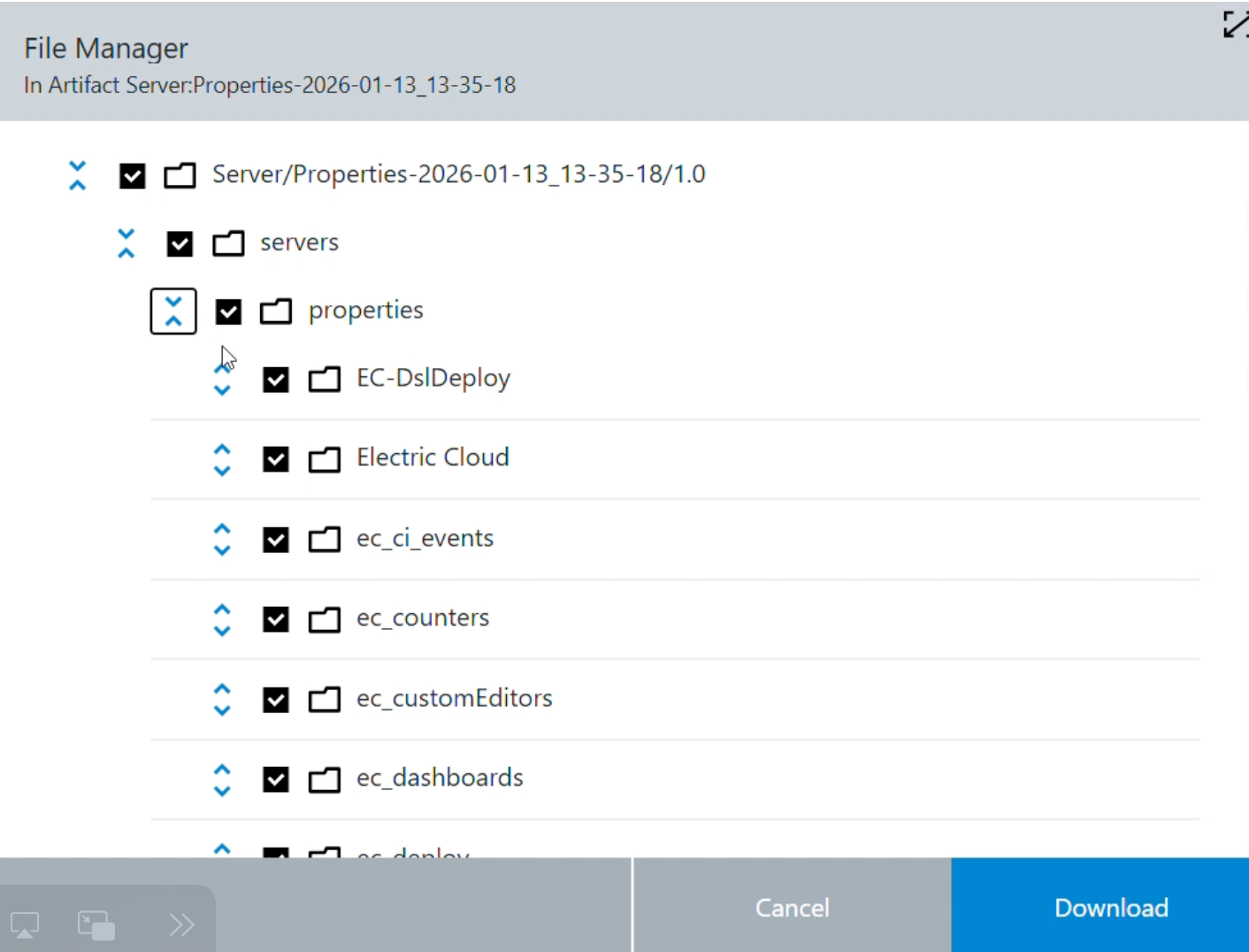
From the job run instances page, navigate to the Publish artifacts tab and select the Server:Properties-timestamp link to view the property files in the native artifact repository.
-
Select Download to download the files to your local machine.